🎬 Watch your video before you film it: an animatic skill for coding agents
I tend to find out my video scripts are a little too long by recording them. By then I've set up the camera, the mics, the lights, and the screen capture, and it's a hassle to go back to the drawing board (or in this case, the notebook).
An animatic moves that discovery to before the cameras come out and my desk is set up to record. It's a draft of the video I can watch: a still of what the viewer should see for each beat, with text to speech reading the script over it. Matt Pocock posted this week that he has Opus build animatics of his lessons, and I'd been making rough TTS base layers for my own video series, so I packaged the idea as a skill any coding agent can run.
To be clear, I work at Deepgram, so it makes sense that the narration uses Deepgram's Flux TTS. I also think this is a genuinely exciting way to work, and it's opened up a lot of creativity for me.
TL;DR
- Hand your agent a script and
/animaticreturns an mp4: one still per beat, your lines narrated, cut to the length of the audio. - The narration is the script's own words, verbatim. An animatic of a rewrite tests the rewrite, not your script.
--estimateprices the run before it makes any TTS calls. A three minute script is about 2,000 characters, roughly ten cents at $0.045 per 1,000 characters.- New Deepgram accounts get $200 of free credit, which covers over 4,000 minutes of animatic.
- The runtime is a floor. You on camera will run longer than TTS does.
Pre Viewing
Install the skill, then point your agent at the script:
git clone https://github.com/samgutentag-deepgram/animatic-skill ~/.claude/skills/animatic
pip install pillow   # plus ffmpeg: brew install ffmpeg
/animatic videos/01/script.mdThe skill works in any agent that reads the Agent Skills format, not only Claude Code. From there the agent does the work:
- It cuts the script into beats, one per change in what's on screen. Each beat gets the line that's said and a few words for what's shown.
- It makes a still for each beat it can. That means screenshots, diagrams, or code files rendered with the lines you're talking about lit up. Where it can't make one, a text card stands in.
- It writes the beats to
animatic/beats.json. - It prices the run and shows you the cost before spending anything.
- It renders the mp4 and opens it.
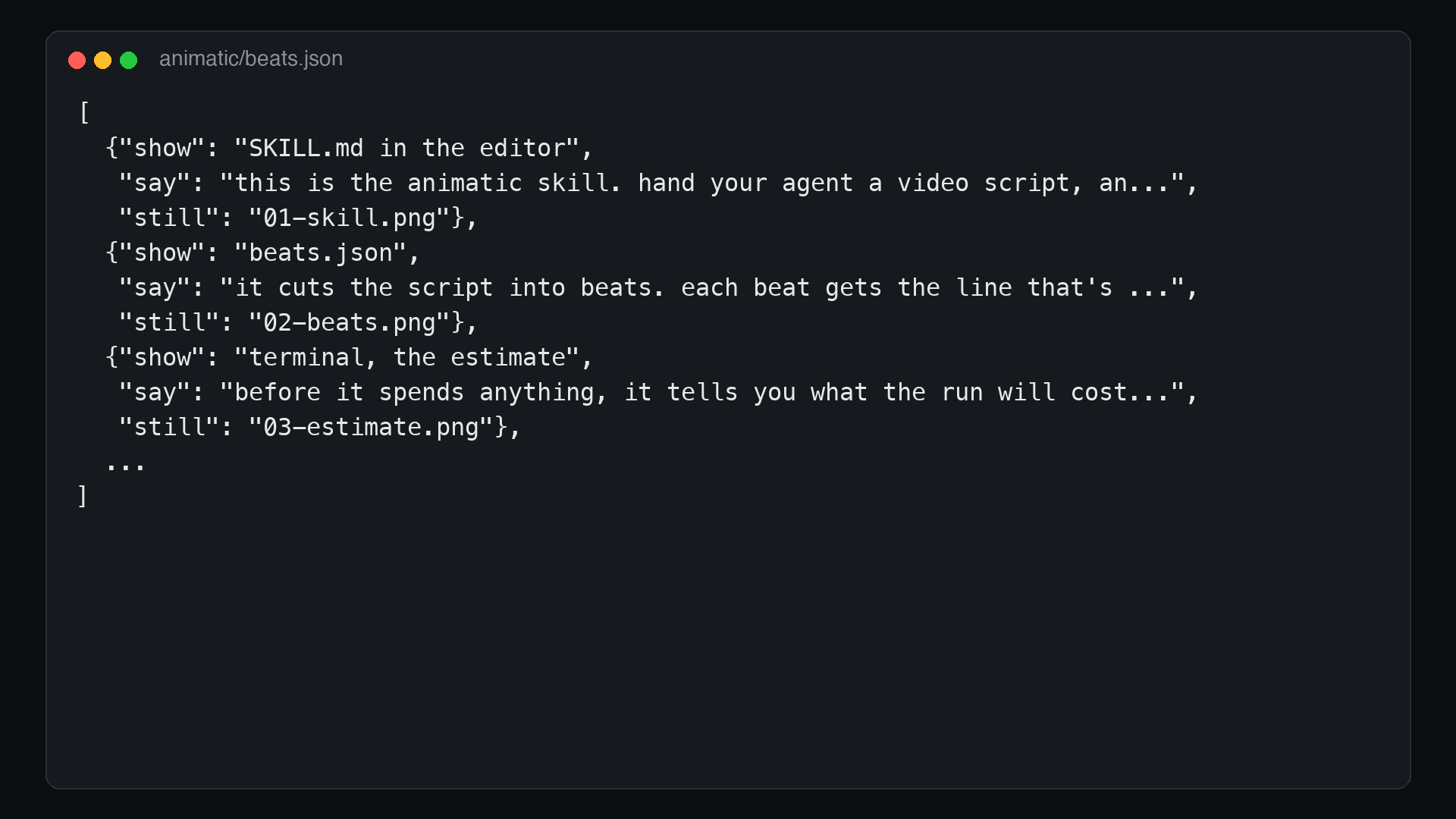
A beat is a small JSON object. Talking over a picture is show, say, and still. A demo clip that plays its own sound is an audio beat, so the animatic plays your real clip instead of narrating over it. A command running with nobody talking is a hold, which adds seconds of silence.
Price
Is this free? No. Deepgram isn't free, but it's pretty dang close. A new console account comes with $200 of credit, which is about 70 hours of animatic. That's hundreds of five minute animatics before you pay a dime.
It works out to about ten cents for a three minute script. Flux TTS is $0.045 per 1,000 characters pay as you go (as of September 2026, on the Deepgram pricing page), and the skill tells you the exact number before it spends it:
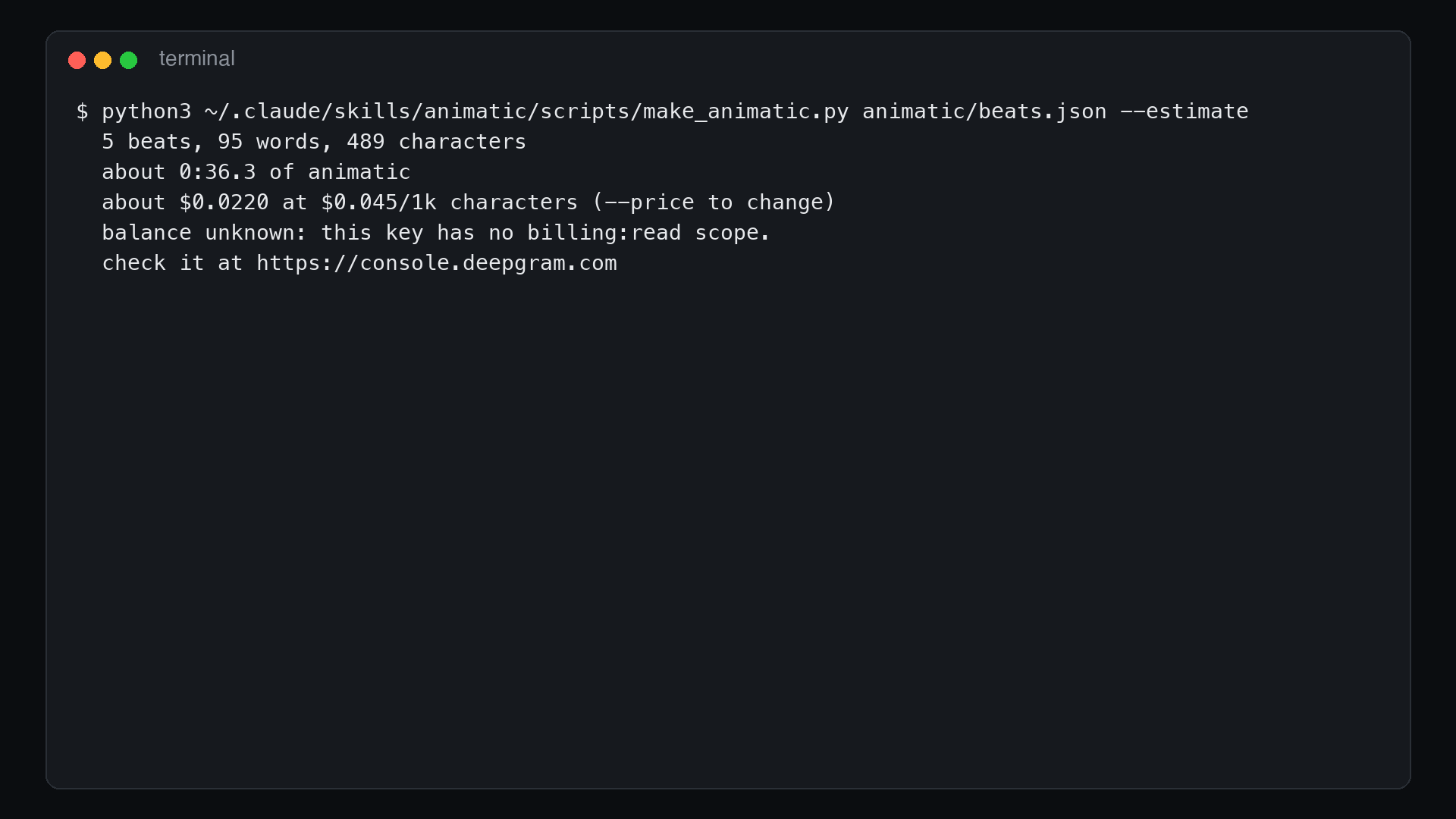
--estimate counts the characters, prices them, guesses the runtime, and reads your remaining Deepgram balance. It makes no TTS calls. If the balance won't cover the run, it says so and stops. Reading the balance needs a key with the billing:read scope; without one (like the key in that screenshot), it still prices the run.
The first real test was the opening video of my Flux TTS series: 14 beats, 401 words, 2,134 characters. The estimate said $0.096 and about 2:47. The render, with the real demo clips playing, came in at 2:28.
Across my runs so far, a minute of animatic takes between 816 and 1,083 characters. At that rate the $200 of free credit on a new account covers 4,100 to 5,450 minutes, which is over 60 hours of watching your scripts before you film them.
No key yet? Run the skill anyway. The first thing it does is check for one, and if there isn't one it walks you through getting a free key and saves it to .env in your project (adding .env to .gitignore if the folder is a git repo).
Voice Generation
The renderer is one Python file, make_animatic.py, with Pillow and ffmpeg as its only dependencies. Each spoken line goes to Deepgram's /v2/speak endpoint as its own request, and the returned clips are joined into one audio track. Each frame is then held for exactly as long as its piece of that track, so the picture never drifts from the sound. Rendering the whole track first is what keeps a 2:51 render in sync to within 0.02 seconds.
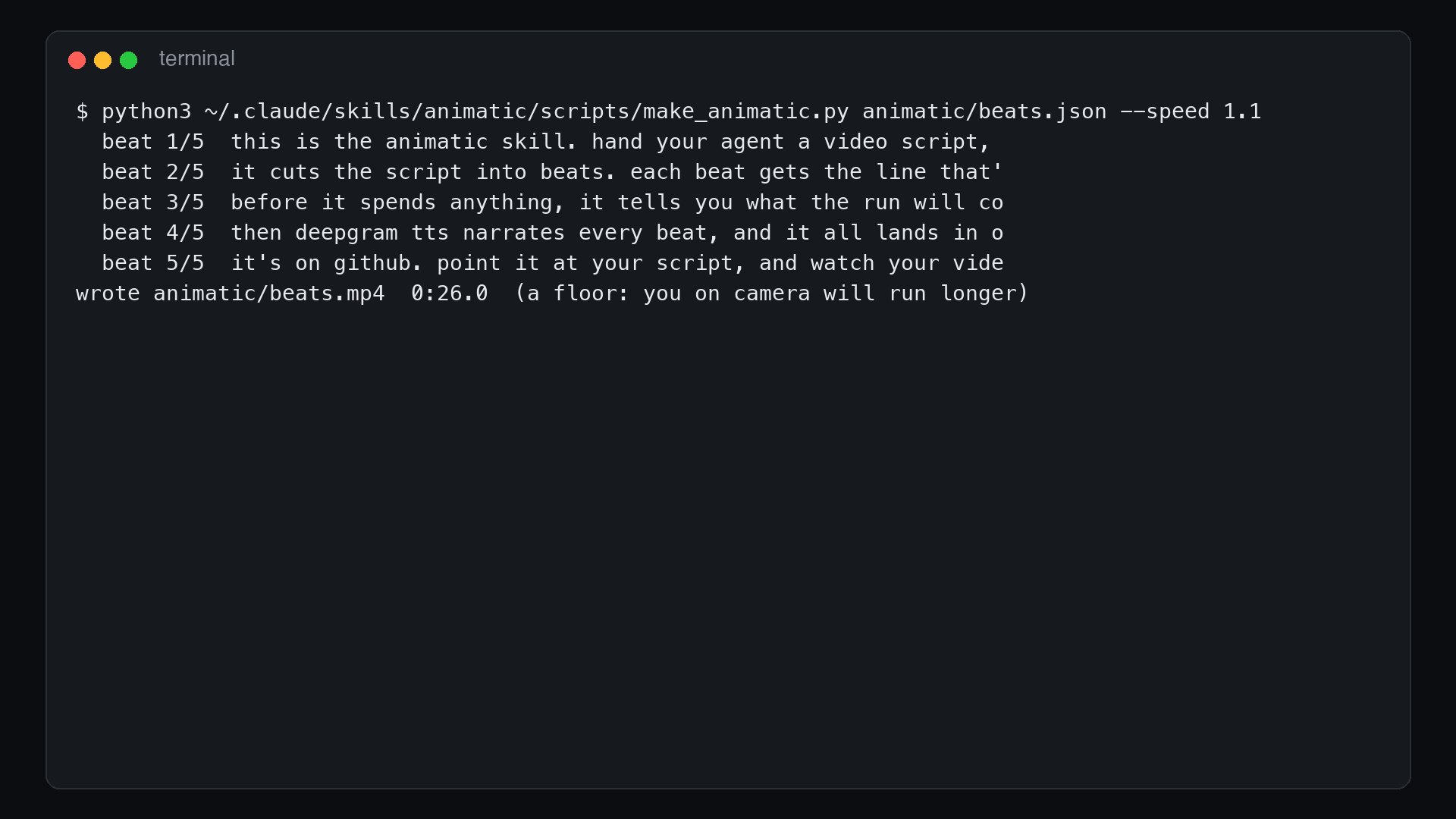
tts() is the only function you'd change to use a different provider. Two flags change the voice itself:
| You want | Run |
|---|---|
| A different voice | --voice flux-haley-en (the default is flux-cole-en) |
| A faster read | --speed 1.3 (0.5 to 1.5) |
--speed asks the TTS for a faster voice rather than speeding up the file, and it's modest: 1.5 is about 25% shorter, not twice as fast. If a beat drags, the fix is fewer words in the script. That's the point of watching it.
Out of Scope
It won't rewrite your lines. Every say is the script's words, verbatim, and stage directions like [PLAY] or [CUE] become beat boundaries instead of narration. I care about this one because of an earlier rough cut of mine that stitched narration together into a claim that wasn't true. A rough animatic is fine. A false one isn't.
The mp4 is throwaway too. It lives in animatic/, it never gets committed, and its job is to be watched once and change the script.
Wrap Up
The animatic skill is on GitHub under MIT. The repo's examples/ folder has the beats, stills, and still-drawing script behind the video at the top of this post, so you can render it yourself in about 27 seconds.
Clone it into your skills folder, then run /animatic on the next script you were about to record. Watch it before you set up the camera.
Turn a video script into a narrated animatic before you film it. Agent skill, Deepgram Flux TTS.